Unity のスクリーンショットを Discord への画像アップロード投稿するメモ

Unity のスクリーンショットを Discord への画像アップロード投稿するメモです。
背景
Unity から LINE Notify にスクリーンショットの画像メッセージを送る ことは以前からできてたのですが、そういえば Discord で Unity のスクリーンショットを画像つきメッセージ送るのをやったことなかったなというところで、やってみます。
具体的には、
Webhook Resource | Documentation | Discord Developer Portal
こちらの Webhook 実行を使いつつ、
API Reference | Documentation | Discord Developer Portal
さらに埋め込む画像を一旦こちらの記事にあるファイルアップロードで Discord に配置して URL を得てからメッセージに反映するという 2 段構えの流れになります。
実際のプログラム
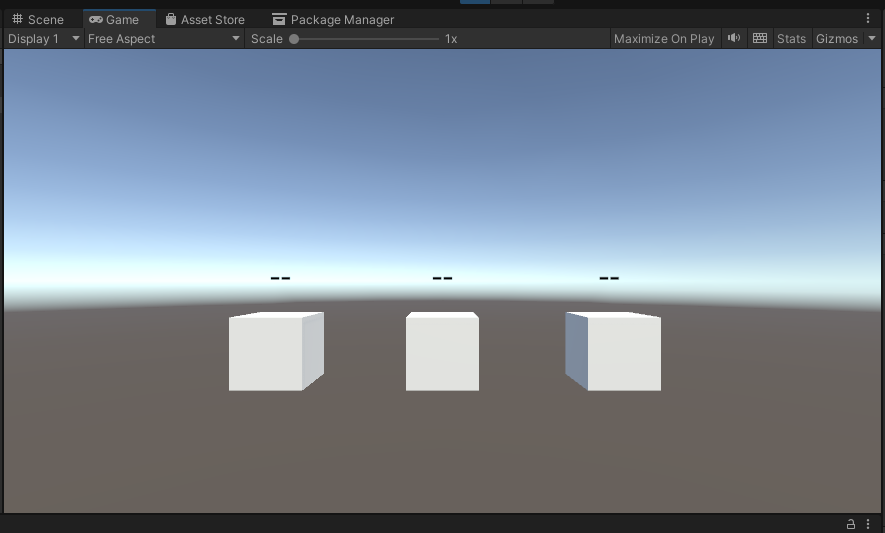
このような立方体が配置されているところに、EventSystem やカメラに Physics Raycaster を仕込んでおいて、ひとつの立方体に以下のプログラムを CubeEvent.cs として割り当てます。
using UnityEngine;
using UnityEngine.EventSystems;
using System.Collections;
using UnityEngine.Networking;
using System;
using System.Collections.Generic;

public class CubeEvent : MonoBehaviour, IPointerClickHandler
{
    // Discord 設定
    private string webhookUrl = "https://discord.com/api/webhooks/YOUR_WEBHOOK_ID/YOUR_WEBHOOK_TOKEN";

    // Message 設定
    private string messageContent = "Unity スクリーンショット";
    private string embedTitle = "Unity Screenshot";
    private string embedDescription = "撮影されたスクリーンショット";
    private Color embedColor = Color.blue;

    // キャプチャされた画像データ
    private byte[] dataImage;

    // Discord JSON データ構造
    [Serializable]
    public class DiscordWebhookData
    {
        public string content;
        public DiscordEmbed[] embeds;
        public DiscordAttachment[] attachments;
    }

    [Serializable]
    public class DiscordEmbed
    {
        public string title;
        public string description;
        public int color;
        public DiscordEmbedImage image;
    }

    [Serializable]
    public class DiscordEmbedImage
    {
        public string url;
    }

    [Serializable]
    public class DiscordAttachment
    {
        public int id;
        public string description;
        public string filename;
    }

    [Serializable]
    public class DiscordResponse
    {
        public string id;
        public string content;
        public DiscordResponseAttachment[] attachments;
        public DiscordResponseEmbed[] embeds;
    }

    [Serializable]
    public class DiscordResponseAttachment
    {
        public string url;
        public string filename;
        public int size;
        public int width;
        public int height;
    }

    [Serializable]
    public class DiscordResponseEmbed
    {
        public string title;
        public string description;
        public int color;
        public DiscordResponseEmbedImage image;
    }

    [Serializable]
    public class DiscordResponseEmbedImage
    {
        public string url;
        public string proxy_url;
        public int width;
        public int height;
        public string content_type;
        public string description;
    }

    public void OnPointerClick(PointerEventData eventData)
    {
        StartCoroutine(TakeScreenshotAndUpload());
    }

    // スクリーンショット撮影 + Discord アップロード
    private IEnumerator TakeScreenshotAndUpload()
    {
        Debug.Log("スクリーンショット撮影を開始");

        // レンダリング後に処理を開始
        yield return new WaitForEndOfFrame();

        // Texture2D でスクリーンショットを取得
        Texture2D screenshot = ScreenCapture.CaptureScreenshotAsTexture();

        // JPEG に変換
        dataImage = screenshot.EncodeToJPG();
        Debug.Log($"撮影完了: {dataImage.Length / 1024:F1}KB");

        // メモリ解放
        UnityEngine.Object.Destroy(screenshot);

        // Discord にアップロード
        yield return StartCoroutine(UploadToDiscord());
    }

    // Discord Webhook用のJSONペイロードを作成
    private string CreateDiscordPayload(string filename)
    {
        string currentDateTime = DateTime.Now.ToString("yyyy年MM月dd日 HH:mm:ss");

        DiscordEmbedImage embedImage = new DiscordEmbedImage();
        embedImage.url = $"attachment://{filename}";

        DiscordEmbed embed = new DiscordEmbed();
        embed.title = $"{embedTitle} - {currentDateTime}";
        embed.description = $"{embedDescription} (撮影日時: {currentDateTime})";
        embed.color = ColorToInt(embedColor);
        embed.image = embedImage;

        DiscordAttachment attachment = new DiscordAttachment();
        attachment.id = 0;
        attachment.description = "Unity で撮影されたスクリーンショット";
        attachment.filename = filename;

        DiscordWebhookData webhookData = new DiscordWebhookData();
        webhookData.content = messageContent;

        List<DiscordEmbed> embedsList = new List<DiscordEmbed>();
        embedsList.Add(embed);
        webhookData.embeds = embedsList.ToArray();

        List<DiscordAttachment> attachmentsList = new List<DiscordAttachment>();
        attachmentsList.Add(attachment);
        webhookData.attachments = attachmentsList.ToArray();

        return JsonUtility.ToJson(webhookData);
    }

    // 画像データを Discord に送信(IMultipartFormSection使用)
    private IEnumerator UploadToDiscord()
    {
        Debug.Log("Discord への画像アップロードを開始");

        // ファイル名を生成
        string filename = $"unity_screenshot_{DateTime.Now:yyyyMMdd_HHmmss}.jpg";

        // Discord ペイロードを作成
        string jsonPayload = CreateDiscordPayload(filename);
        Debug.Log($"JSON Payload: {jsonPayload}");

        // マルチパートフォームデータを構築
        List<IMultipartFormSection> formData = new List<IMultipartFormSection>();

        // JSON ペイロード部分
        MultipartFormDataSection jsonSection = new MultipartFormDataSection("payload_json", jsonPayload, "application/json");
        formData.Add(jsonSection);

        // 画像ファイル部分
        MultipartFormFileSection fileSection = new MultipartFormFileSection("files[0]", dataImage, filename, "image/jpeg");
        formData.Add(fileSection);

        // UnityWebRequest を作成して送信
        UnityWebRequest request = UnityWebRequest.Post(webhookUrl, formData);
        Debug.Log($"Discord に送信中... (サイズ: {dataImage.Length / 1024:F1}KB)");

        yield return request.SendWebRequest();

        // Discord からのレスポンスを処理
        switch (request.result)
        {
            case UnityWebRequest.Result.Success:
                Debug.Log("Discord アップロード成功!");
                Debug.Log($"Response: {request.downloadHandler.text}");

                // レスポンスから画像情報を取得して表示
                DiscordResponse response = JsonUtility.FromJson<DiscordResponse>(request.downloadHandler.text);
                Debug.Log($"メッセージID: {response.id}");
                Debug.Log($"投稿内容: {response.content}");

                var image = response.embeds[0].image;
                Debug.Log("画像アップロード成功!");
                Debug.Log($"画像URL: {image.url}");
                Debug.Log($"サイズ: {image.width}x{image.height}");
                Debug.Log($"形式: {image.content_type}");

                // 画像URLを明確に出力
                Debug.Log("=== 画像URL (コピー用) ===");
                Debug.Log(image.url);
                Debug.Log("========================");
                break;

            case UnityWebRequest.Result.ConnectionError:
            case UnityWebRequest.Result.DataProcessingError:
            case UnityWebRequest.Result.ProtocolError:
                Debug.LogError($"Discord アップロードエラー: {request.error}");
                Debug.LogError($"ステータスコード: {request.responseCode}");
                Debug.LogError($"レスポンス: {request.downloadHandler.text}");
                break;

            default:
                Debug.LogWarning($"不明なレスポンス状態: {request.result}");
                break;
        }

        request.Dispose();
    }

    // Color を Discord の整数カラーに変換
    private int ColorToInt(Color color)
    {
        int r = Mathf.RoundToInt(Mathf.Clamp01(color.r) * 255);
        int g = Mathf.RoundToInt(Mathf.Clamp01(color.g) * 255);
        int b = Mathf.RoundToInt(Mathf.Clamp01(color.b) * 255);
        return (r << 16) | (g << 8) | b;
    }
}
その上で、
    // Discord 設定
    private string webhookUrl = "https://discord.com/api/webhooks/YOUR_WEBHOOK_ID/YOUR_WEBHOOK_TOKEN";
こちらに投稿したい Discord Webhook URL に書き換えます。
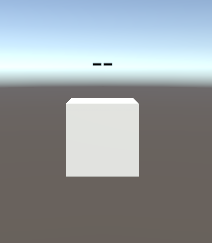
出来上がったら、クリックして動かしてみましょう。

設定が正しければ、このように、Unity のスクリーンショットを Discord への画像アップロード投稿ができます!