Whisper API の Text to Speech から取得した WAV データを Meta Quest 3 で再生するメモ
この記事は XR(AR・VR・MR) Advent Calendar 2024 の 21 日目の記事です。
Whisper API の Text to Speech から取得した WAV データを Meta Quest 3 で再生するメモです。
Unity で動いたので Meta Quest 3 へ発展
今回は 2024.3.45f で作っています。
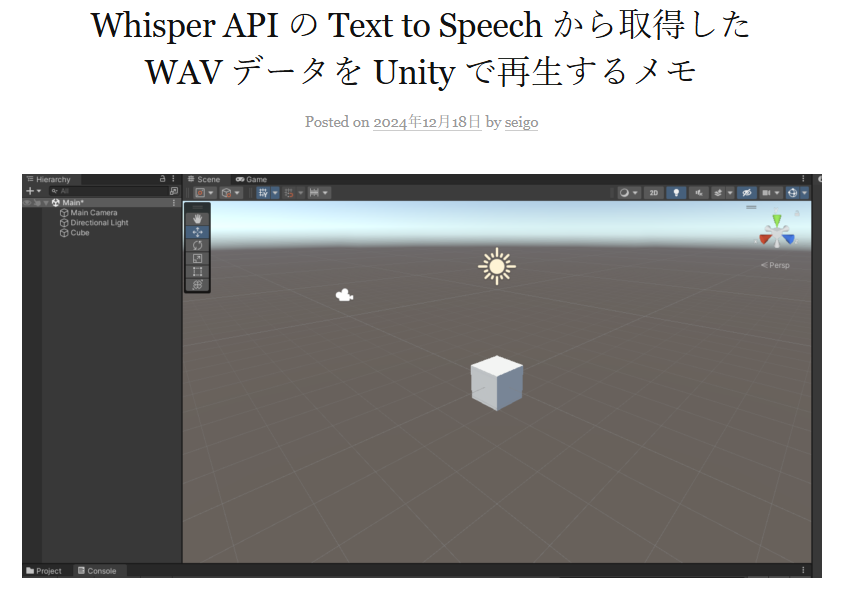
Whisper API の Text to Speech から取得した WAV データを Unity で再生する 記事で Unity で動かしたので Meta Quest 3 へ発展させます。
Unity のプロジェクトを Meta Quest 3 で動くようにするのは Unity + Meta Quest開発メモ - フレームシンセシス の記事を見つつ、
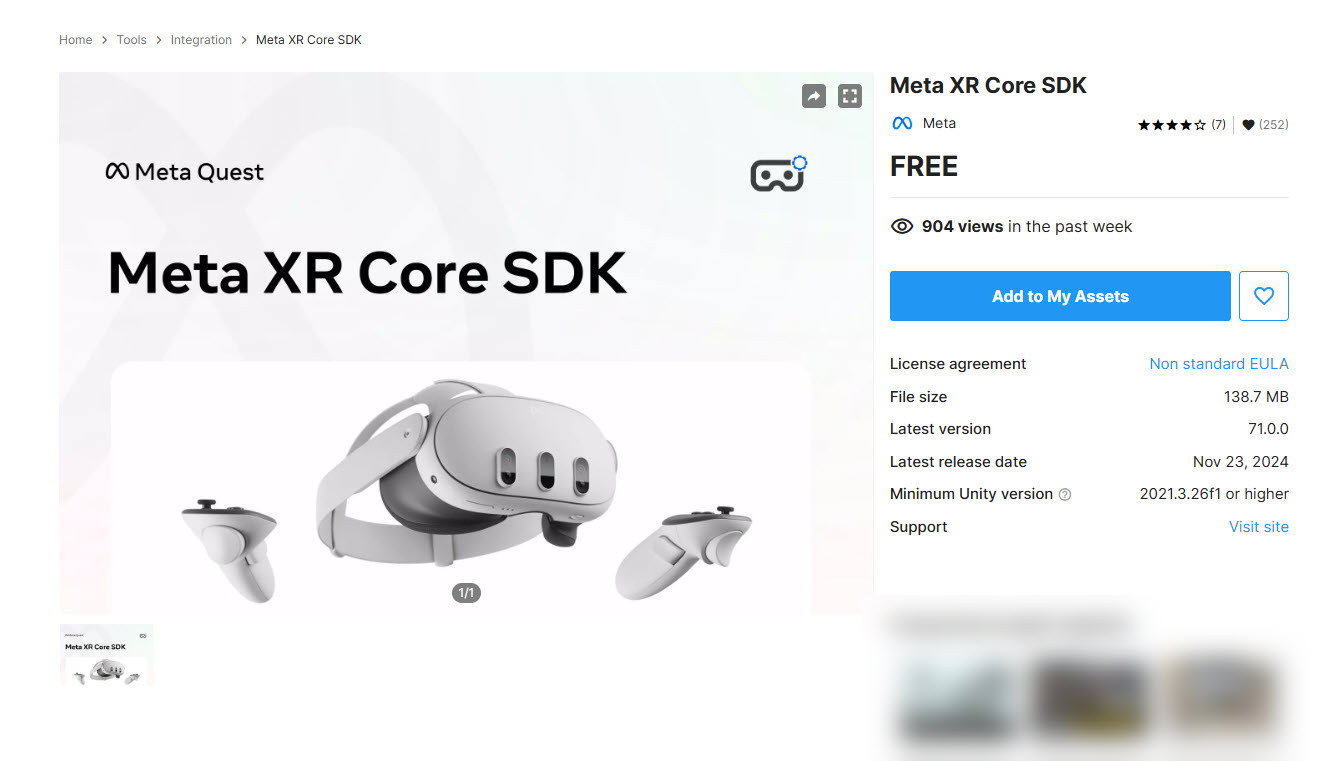
Meta XR Core SDK を入れたり、
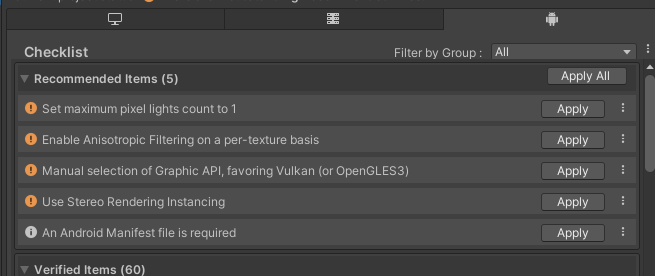
もろもろ対応して、
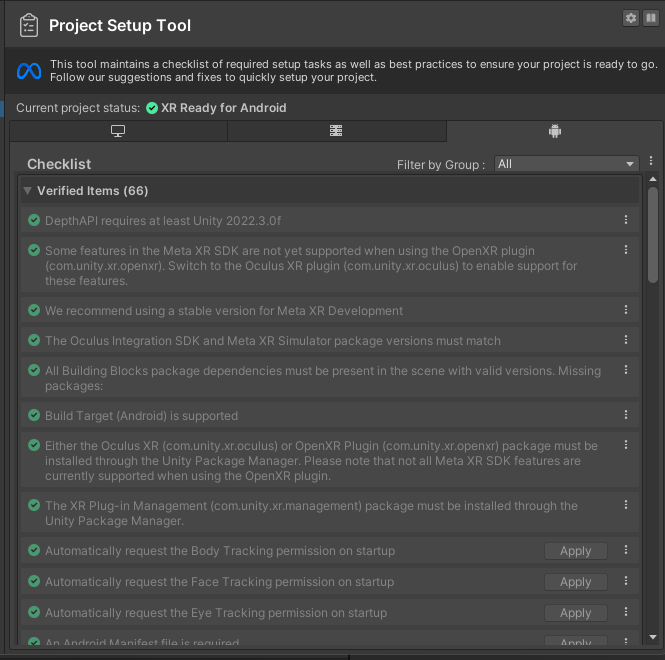
使えるようにしてプロジェクトを作ります。ダイジェストですので詳しくは記事を見ていただけとれば思います。
Unity 内の準備
Whisper API の Text to Speech から取得した WAV データを Unity で再生する 記事で書かれている Cube や Audio Source を準備します。
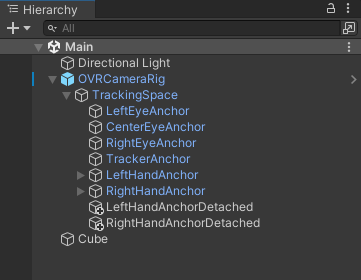
こんな感じで準備できました。
今回のプログラム
Cube に割り当てた CubeEvent の中身はこちらです。
using System.Collections;
using System.Collections.Generic;
using UnityEngine;
using UnityEngine.EventSystems;
using UnityEngine.Networking;
using System;
using System.IO;
using System.Text;

public class CubeEvent : MonoBehaviour
{
    [Serializable]
    public class RequestData
    {
        public string model;
        public string input;
        public string voice;
        public string response_format;
    }

    string tokenChatGPT = "tokenChatGPT";

    // Wav データ
    byte[] dataWav;

    // 音を鳴らす AudioSource
    AudioSource audioSource;

    void Start()
    {
        audioSource = GetComponent<AudioSource>();
    }

    void Update()
    {
        if (OVRInput.GetDown(OVRInput.RawButton.A))
        {
            Debug.Log("Meta Quest で A ボタンを押した");

            StartCoroutine(PostWhisperAPI());

        }

        if (Input.GetKeyDown(KeyCode.A))
        {
            Debug.Log("PC で Aボタンを押した");

            StartCoroutine(PostWhisperAPI());

        }
    }


    IEnumerator PostWhisperAPI()
    {
        // HTTP リクエストする(POST メソッド) UnityWebRequest を呼び出し
        // リクエスト仕様 : https://platform.openai.com/docs/guides/text-to-speech
        // API仕様 : https://platform.openai.com/docs/api-reference/audio/createSpeech
        UnityWebRequest request = new UnityWebRequest("https://api.openai.com/v1/audio/speech", "POST");

        RequestData requestData = new RequestData();
        // データを設定
        requestData.model = "tts-1";
        requestData.input = "こんにちは!よろしくお願いします!";
        requestData.voice = "alloy";
        requestData.response_format = "wav";


        string strJSON = JsonUtility.ToJson(requestData);
        Debug.Log($"strJSON : {strJSON}");

        // 送信データを Encoding.UTF8.GetBytes で byte データ化
        byte[] bodyRaw = Encoding.UTF8.GetBytes(strJSON);

        // アップロード(Unity→サーバ)のハンドラを作成
        request.uploadHandler = new UploadHandlerRaw(bodyRaw);
        // ダウンロード(サーバ→Unity)のハンドラを作成
        request.downloadHandler = new DownloadHandlerBuffer();

        // JSON で送ると HTTP ヘッダーで宣言する
        request.SetRequestHeader("Content-Type", "application/json");
        // ChatGPT 用の認証を伝える設定
        request.SetRequestHeader("Authorization", $"Bearer {tokenChatGPT}");

        // リクエスト開始
        yield return request.SendWebRequest();

        Debug.Log("リクエスト...");

        // 結果によって分岐
        switch (request.result)
        {
            case UnityWebRequest.Result.InProgress:
                Debug.Log("リクエスト中");
                break;

            case UnityWebRequest.Result.ProtocolError:
                Debug.Log("ProtocolError");
                Debug.Log(request.responseCode);
                Debug.Log(request.error);
                break;

            case UnityWebRequest.Result.ConnectionError:
                Debug.Log("ConnectionError");
                break;

            case UnityWebRequest.Result.Success:
                Debug.Log("リクエスト成功");

                // コンソールに表示
                Debug.Log($"responseData: {request.downloadHandler.data}");
                Debug.Log($"Length: {request.downloadHandler.data.Length}");

                dataWav = request.downloadHandler.data;

                AudioClip audioClip = WavToAudioClip(dataWav, "sample");
                audioSource.clip = audioClip;
                audioSource.Play();


                break;
        }

        request.Dispose();


    }

    AudioClip WavToAudioClip(byte[] fileBytes, string audioClipName)
    {
        using var memoryStream = new MemoryStream(fileBytes);

        // RIFF チェック
        var riffBytes = new byte[4];
        memoryStream.Read(riffBytes, 0, 4);
        if (Encoding.ASCII.GetString(riffBytes) != "RIFF")
            throw new ArgumentException("fileBytes is not the correct Wav file format.");

        // チャンクサイズをスキップ
        memoryStream.Seek(4, SeekOrigin.Current);

        // WAVE チェック
        var waveBytes = new byte[4];
        memoryStream.Read(waveBytes, 0, 4);
        if (Encoding.ASCII.GetString(waveBytes) != "WAVE")
            throw new ArgumentException("fileBytes is not the correct Wav file format.");

        // チャンクを動的に探索
        ushort channels = 0;
        int sampleRate = 0;
        ushort bitPerSample = 0;
        bool fmtFound = false;
        int dataSize = 0;
        byte[] soundData = new byte[0];

        while (memoryStream.Position < memoryStream.Length)
        {
            // チャンクIDの読み取り
            var chunkIDBytes = new byte[4];
            memoryStream.Read(chunkIDBytes, 0, 4);
            var chunkID = System.Text.Encoding.ASCII.GetString(chunkIDBytes);

            // チャンクサイズの読み取り
            var chunkSizeBytes = new byte[4];
            memoryStream.Read(chunkSizeBytes, 0, 4);
            uint chunkSize = BitConverter.ToUInt32(chunkSizeBytes, 0);

            // Debug.Log($"Found chunk: {chunkID}, Size: {chunkSize}");

            // チャンクサイズが 0xFFFFFFFF の場合、残りのデータを使用
            if (chunkSize == 0xFFFFFFFF)
            {
                chunkSize = (uint)(memoryStream.Length - memoryStream.Position);
                // Debug.LogWarning("Chunk size is 0xFFFFFFFF. Using remaining stream as data.");
            }

            // fmt チャンクの処理
            if (chunkID == "fmt ")
            {
                fmtFound = true;

                var fmtBytes = new byte[chunkSize];
                memoryStream.Read(fmtBytes, 0, (int)chunkSize);

                channels = BitConverter.ToUInt16(fmtBytes, 2);
                sampleRate = BitConverter.ToInt32(fmtBytes, 4);
                bitPerSample = BitConverter.ToUInt16(fmtBytes, 14);

                Debug.Log($"Channels: {channels}");
                Debug.Log($"Sample Rate: {sampleRate}");
                Debug.Log($"Bits Per Sample: {bitPerSample}");
            }

            // data チャンクの処理
            else if (chunkID == "data")
            {
                if (!fmtFound)
                    throw new InvalidOperationException("fmt chunk must appear before data chunk.");

                Debug.Log($"Data chunk found. Size: {chunkSize}");

                var data = new byte[chunkSize];
                memoryStream.Read(data, 0, (int)chunkSize);

                soundData = data;

                Debug.Log($"Successfully read {data.Length} bytes of audio data.");

                dataSize = data.Length;

                break;
            }
            else
            {
                // 不要なチャンクはスキップ
                memoryStream.Seek(chunkSize, SeekOrigin.Current);
            }
        }

        Debug.Log("WAV file parsing completed.");

        memoryStream.Dispose();

        return CreateAudioClip(soundData, channels, sampleRate, bitPerSample, audioClipName);
    }

    AudioClip CreateAudioClip(byte[] data, int channels, int sampleRate, ushort bitPerSample, string audioClipName)
    {
        Debug.Log("CreateAudioClip");

        var audioClipData = bitPerSample switch
        {
            16 => Create16BITAudioClipData(data),
            32 => Create32BITAudioClipData(data),
            _ => throw new ArgumentException($"bitPerSample is not supported : bitPerSample = {bitPerSample}")
        };

        var audioClip = AudioClip.Create(audioClipName, audioClipData.Length, channels, sampleRate, false);
        audioClip.SetData(audioClipData, 0);
        return audioClip;
    }

    float[] Create16BITAudioClipData(byte[] data)
    {
        var audioClipData = new float[data.Length / 2];
        var memoryStream = new MemoryStream(data);

        for (var i = 0; ; i++)
        {
            var target = new byte[2];
            var read = memoryStream.Read(target);

            if (read <= 0) break;

            audioClipData[i] = (float)BitConverter.ToInt16(target) / short.MaxValue;
        }

        return audioClipData;
    }

    float[] Create32BITAudioClipData(byte[] data)
    {
        var audioClipData = new float[data.Length / 4];
        var memoryStream = new MemoryStream(data);

        for (var i = 0; ; i++)
        {
            var target = new byte[4];
            var read = memoryStream.Read(target);

            if (read <= 0) break;

            audioClipData[i] = (float)BitConverter.ToInt32(target) / int.MaxValue;
        }

        return audioClipData;
    }

}
以下のプログラムで上書きします。
string tokenChatGPT = "tokenChatGPT";こちらの "tokenChatGPT" のダブルクォーテーションの中を、自分の OpenAPI API キーに置き換えます。
ここまでできたら、保存しましょう。
PC のキーボードで A キーを押すと Whisper API の Text to Speech に「こんにちは!よろしくお願いします!」と問い合わせて WAV データを取得して AudioSource から再生できます。
また Meta Quest 3 では、コントローラーの A ボタンをクリックすると Whisper API の Text to Speech に「こんにちは!よろしくお願いします!」と問い合わせて WAV データを取得して AudioSource から再生できます。
動かしてみた様子
実際に動かした様子です。
Whisper API の Text to speech で作成された WAV データを Meta Quest 3 から聞こえるかけれるようにできたー。 alloy さんの声で「こんにちは!よろしくお願いします!」って語りかけてきます。 #OpenAI #Unity #XR pic.twitter.com/j64AZLj9mA
— Tanaka Seigo (@1ft_seabass) December 17, 2024
実際に動かしてみると、頭に直接語りかけてくるような不思議な感覚で面白かったです!