XREAL Air からマイク録音して音データを Whisper API で文字起こしして ChatGPT API とやり取りするメモ
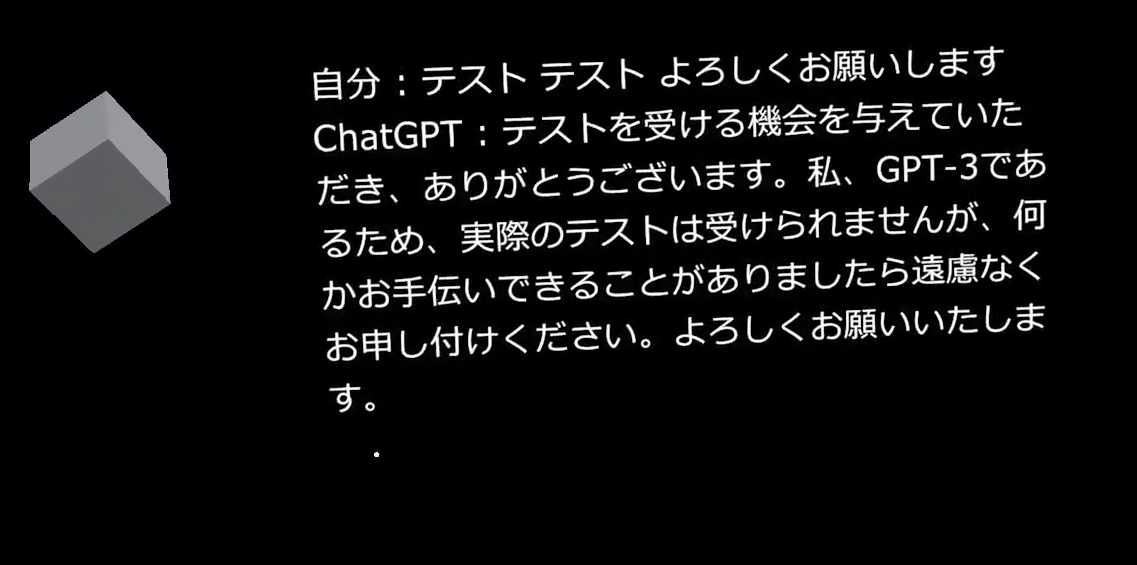
XREAL Air からマイク録音して音データを Whisper API で文字起こしして ChatGPT API とやり取りするメモです。
ベースとなる文献
Unity からマイク録音して音データを Whisper API で文字起こしして ChatGPT API とやり取りするメモ – 1ft-seabass.jp.MEMO
こちらを元に XREAL Air のマイク認識部分だけ追加して実装できました。
Unity の XREAL Air プロジェクトで Cube と結果テキストを準備
2023/10 現在の情報で進めます。
Unity の XREAL Air プロジェクトで Cube と結果テキストを準備します。
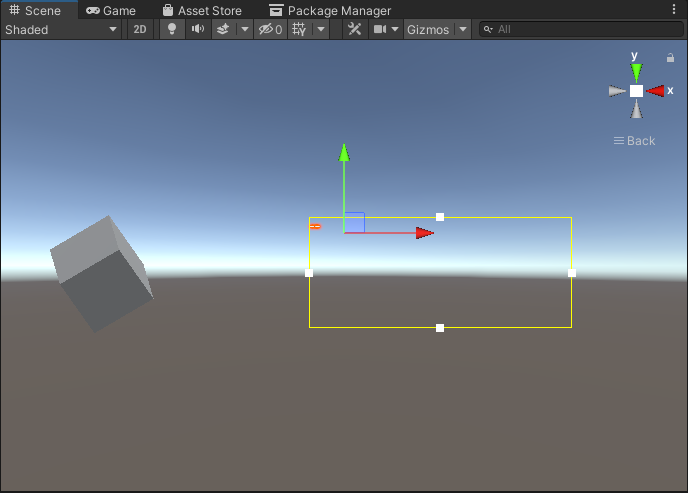
左の Cube を配置して、右に TextMeshPro で TextResult という結果を表示するテキストを用意します。TextResult は日本語を表示するので TextMeshPro で日本語表示可能な対応をしています。
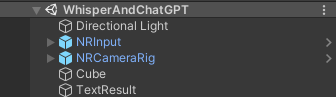
プロジェクトとしてこんな構成です。
Cube に CubeEvent.cs を割り当て
Cube に CubeEvent.cs を割り当てます。
前述のとおり、Unity からマイク録音して音データを Whisper API で文字起こしして ChatGPT API とやり取りするメモ に、XREAL Air の録音のターゲットになるマイクデバイス名 Android audio input にする対応と TextResult という結果を表示するテキストへつどつど状況を表示する対応をしています。
using System.Collections;
using System.Collections.Generic;
using UnityEngine;
using UnityEngine.EventSystems;
using UnityEngine.Networking;
using System;
using System.IO;
using System.Text;
using TMPro;

public class CubeEvent : MonoBehaviour, IPointerClickHandler
{
    // マイクの開始・終了管理
    bool flagMicRecordStart = false;

    // マイクデバイスがキャッチできたかどうか
    bool catchedMicDevice = false;

    // 現在録音するマイクデバイス名
    string currentRecordingMicDeviceName = "null";

    // PC の録音のターゲットになるマイクデバイス名
    // これはお使いのデバイスで変わります
    // 完全一致でないと受け取れないので注意
    string recordingTargetMicDeviceName = "Krisp Microphone (Krisp Audio)";

    // XREAL Air の録音のターゲットになるマイクデバイス名 "Android audio input"
    string recordingTargetMicDeviceNameForXREALAir = "Android audio input";


    // ヘッダーサイズ
    int HeaderByteSize = 44;

    // BitsPerSample
    int BitsPerSample = 16;

    // AudioFormat
    int AudioFormat = 1;

    // 録音する AudioClip
    AudioClip recordedAudioClip;

    // サンプリング周波数
    int samplingFrequency = 44100;

    // 最大録音時間[sec]
    int maxTimeSeconds = 10;

    // Wav データ
    byte[] dataWav;

    // OpenAIAPIKey
    // WhisperAPI と ChatGPTAPI で共通
    string OpenAIAPIKey = "OpenAIAPIKey";

    // Wisper API で受信した JSON データを Unity で扱うデータにする WhisperAPIResponseData ベースクラス
    [Serializable]
    public class WhisperAPIResponseData
    {
        public string text;
    }

    // ChatGPT API で受信した JSON データを Unity で扱うデータにする ResponseData ベースクラス
    // API仕様 : https://platform.openai.com/docs/api-reference/completions/object
    [Serializable]
    public class ResponseData
    {
        public string id;
        public string @object; // object は予約語なので @ を使ってエスケープしています
        public int created;
        public List<ResponseDataChoice> choices;
        public ResponseDataUsage usage;
    }

    [Serializable]
    public class ResponseDataUsage
    {
        public int prompt_tokens;
        public int completion_tokens;
        public int total_tokens;
    }
    [Serializable]
    public class ResponseDataChoice
    {
        public int index;
        public RequestDataMessages message;
        public string finish_reason;
    }

    // ChatGPT API に送信する Unity データを JSON データ化する RequestData ベースクラス
    [Serializable]
    public class RequestData
    {
        public string model;
        public List<RequestDataMessages> messages;
    }

    [Serializable]
    public class RequestDataMessages
    {
        public string role;
        public string content;
    }


    void Start()
    {
        catchedMicDevice = false;

        Launch();
    }

    void Launch()
    {

        // マイクデバイスを探す
        foreach (string device in Microphone.devices)
        {
            Debug.Log($"Mic device name : {device}");

            // PC 用のマイクデバイスを割り当て
            if (device == recordingTargetMicDeviceName)
            {
                Debug.Log($"{recordingTargetMicDeviceName} searched");

                currentRecordingMicDeviceName = device;

                catchedMicDevice = true;
            }

            // XREAL Air 用のマイクデバイスを割り当て
            if (device == recordingTargetMicDeviceNameForXREALAir)
            {
                Debug.Log($"{recordingTargetMicDeviceNameForXREALAir} serched");

                currentRecordingMicDeviceName = device;

                catchedMicDevice = true;
            }

        }

        if (catchedMicDevice)
        {
            Debug.Log($"マイク捜索成功");
            Debug.Log($"currentRecordingMicDeviceName : {currentRecordingMicDeviceName}");

            // テキストにお知らせ
            GameObject.Find("TextResult").GetComponent<TextMeshPro>().SetText($"マイク捜索成功 : {currentRecordingMicDeviceName}");
        }
        else
        {
            Debug.Log($"マイク捜索失敗");
        }

    }

    void Update()
    {

    }
    public void OnPointerClick(PointerEventData eventData)
    {
        if (catchedMicDevice)
        {
            if (flagMicRecordStart)
            {
                // Stop
                // マイクの録音を開始
                flagMicRecordStart = false;
                Debug.Log($"Mic Record Stop");

                // テキストに反映
                GameObject.Find("TextResult").GetComponent<TextMeshPro>().SetText($"録音終了");

                RecordStop();

            }
            else
            {
                // Start
                // マイクの停止
                flagMicRecordStart = true;
                Debug.Log($"Mic Record Start");

                // テキストに反映
                GameObject.Find("TextResult").GetComponent<TextMeshPro>().SetText($"録音開始");

                RecordStart();
            }
        }

    }

    void RecordStart()
    {
        // マイクの録音を開始して AudioClip を割り当て
        recordedAudioClip = Microphone.Start(currentRecordingMicDeviceName, false, maxTimeSeconds, samplingFrequency);
    }

    void RecordStop()
    {
        // マイクの停止
        Microphone.End(currentRecordingMicDeviceName);

        Debug.Log($"WAV データ作成開始");

        // using を使ってメモリ開放を自動で行う
        using (MemoryStream currentMemoryStream = new MemoryStream())
        {
            // ChunkID RIFF
            byte[] bufRIFF = Encoding.ASCII.GetBytes("RIFF");
            currentMemoryStream.Write(bufRIFF, 0, bufRIFF.Length);

            // ChunkSize
            byte[] bufChunkSize = BitConverter.GetBytes((UInt32)(HeaderByteSize + recordedAudioClip.samples * recordedAudioClip.channels * BitsPerSample / 8));
            currentMemoryStream.Write(bufChunkSize, 0, bufChunkSize.Length);

            // Format WAVE
            byte[] bufFormatWAVE = Encoding.ASCII.GetBytes("WAVE");
            currentMemoryStream.Write(bufFormatWAVE, 0, bufFormatWAVE.Length);

            // Subchunk1ID fmt
            byte[] bufSubchunk1ID = Encoding.ASCII.GetBytes("fmt ");
            currentMemoryStream.Write(bufSubchunk1ID, 0, bufSubchunk1ID.Length);

            // Subchunk1Size (16 for PCM)
            byte[] bufSubchunk1Size = BitConverter.GetBytes((UInt32)16);
            currentMemoryStream.Write(bufSubchunk1Size, 0, bufSubchunk1Size.Length);

            // AudioFormat (PCM=1)
            byte[] bufAudioFormat = BitConverter.GetBytes((UInt16)AudioFormat);
            currentMemoryStream.Write(bufAudioFormat, 0, bufAudioFormat.Length);

            // NumChannels
            byte[] bufNumChannels = BitConverter.GetBytes((UInt16)recordedAudioClip.channels);
            currentMemoryStream.Write(bufNumChannels, 0, bufNumChannels.Length);

            // SampleRate
            byte[] bufSampleRate = BitConverter.GetBytes((UInt32)recordedAudioClip.frequency);
            currentMemoryStream.Write(bufSampleRate, 0, bufSampleRate.Length);

            // ByteRate (=SampleRate * NumChannels * BitsPerSample/8)
            byte[] bufByteRate = BitConverter.GetBytes((UInt32)(recordedAudioClip.samples * recordedAudioClip.channels * BitsPerSample / 8));
            currentMemoryStream.Write(bufByteRate, 0, bufByteRate.Length);

            // BlockAlign (=NumChannels * BitsPerSample/8)
            byte[] bufBlockAlign = BitConverter.GetBytes((UInt16)(recordedAudioClip.channels * BitsPerSample / 8));
            currentMemoryStream.Write(bufBlockAlign, 0, bufBlockAlign.Length);

            // BitsPerSample
            byte[] bufBitsPerSample = BitConverter.GetBytes((UInt16)BitsPerSample);
            currentMemoryStream.Write(bufBitsPerSample, 0, bufBitsPerSample.Length);

            // Subchunk2ID data
            byte[] bufSubchunk2ID = Encoding.ASCII.GetBytes("data");
            currentMemoryStream.Write(bufSubchunk2ID, 0, bufSubchunk2ID.Length);

            // Subchuk2Size
            byte[] bufSubchuk2Size = BitConverter.GetBytes((UInt32)(recordedAudioClip.samples * recordedAudioClip.channels * BitsPerSample / 8));
            currentMemoryStream.Write(bufSubchuk2Size, 0, bufSubchuk2Size.Length);

            // Data
            float[] floatData = new float[recordedAudioClip.samples * recordedAudioClip.channels];
            recordedAudioClip.GetData(floatData, 0);

            foreach (float f in floatData)
            {
                byte[] bufData = BitConverter.GetBytes((short)(f * short.MaxValue));
                currentMemoryStream.Write(bufData, 0, bufData.Length);
            }

            Debug.Log($"WAV データ作成完了");

            dataWav = currentMemoryStream.ToArray();

            Debug.Log($"dataWav.Length {dataWav.Length}");

            // まず Wisper API で文字起こし
            StartCoroutine(PostWhisperAPI());

        }

    }

    // Wisper API で文字起こし
    IEnumerator PostWhisperAPI()
    {
        // IMultipartFormSection で multipart/form-data のデータとして送れます
        // https://docs.unity3d.com/ja/2018.4/Manual/UnityWebRequest-SendingForm.html
        // https://docs.unity3d.com/ja/2019.4/ScriptReference/Networking.IMultipartFormSection.html
        // https://docs.unity3d.com/ja/2020.3/ScriptReference/Networking.MultipartFormDataSection.html
        List<IMultipartFormSection> formData = new List<IMultipartFormSection>();

        // https://platform.openai.com/docs/api-reference/audio/createTranscription
        // Whisper モデルを使う
        formData.Add(new MultipartFormDataSection("model", "whisper-1"));
        // 日本語で返答
        formData.Add(new MultipartFormDataSection("language", "ja"));
        // WAV データを入れる
        formData.Add(new MultipartFormFileSection("file", dataWav, "whisper01.wav", "multipart/form-data"));

        // HTTP リクエストする(POST メソッド) UnityWebRequest を呼び出し
        // 第 2 引数で上記のフォームデータを割り当てて multipart/form-data のデータとして送ります
        string urlWhisperAPI = "https://api.openai.com/v1/audio/transcriptions";
        UnityWebRequest request = UnityWebRequest.Post(urlWhisperAPI, formData);

        // OpenAI 認証は Authorization ヘッダーで Bearer のあとに API トークンを入れる
        request.SetRequestHeader("Authorization", $"Bearer {OpenAIAPIKey}");

        // ダウンロード(サーバ→Unity)のハンドラを作成
        request.downloadHandler = new DownloadHandlerBuffer();

        Debug.Log("WhisperAPI リクエスト開始");

        // テキストに反映
        GameObject.Find("TextResult").GetComponent<TextMeshPro>().SetText($"WhisperAPI リクエスト開始");

        // リクエスト開始
        yield return request.SendWebRequest();


        // 結果によって分岐
        switch (request.result)
        {
            case UnityWebRequest.Result.InProgress:
                Debug.Log("WhisperAPI リクエスト中");
                break;

            case UnityWebRequest.Result.ProtocolError:
                Debug.Log("ProtocolError");
                Debug.Log(request.responseCode);
                Debug.Log(request.error);
                break;

            case UnityWebRequest.Result.ConnectionError:
                Debug.Log("ConnectionError");
                break;

            case UnityWebRequest.Result.Success:
                Debug.Log("WhisperAPI リクエスト成功");

                // コンソールに表示
                Debug.Log($"responseData: {request.downloadHandler.text}");

                WhisperAPIResponseData resultResponseWhisperAPI = JsonUtility.FromJson<WhisperAPIResponseData>(request.downloadHandler.text);

                // テキストにお知らせ
                GameObject.Find("TextResult").GetComponent<TextMeshPro>().SetText($"自分 : {resultResponseWhisperAPI.text}");

                // テキストが起こせたら ChatGPT API に聞く
                StartCoroutine(PostChatGPT(resultResponseWhisperAPI.text));

                break;
        }


    }

    // ChatGPT API
    IEnumerator PostChatGPT(string text)
    {
        // HTTP リクエストする(POST メソッド) UnityWebRequest を呼び出し
        // リクエスト仕様 : https://platform.openai.com/docs/guides/gpt/chat-completions-api
        // API仕様 : https://platform.openai.com/docs/api-reference/completions/object
        UnityWebRequest request = new UnityWebRequest("https://api.openai.com/v1/chat/completions", "POST");

        RequestData requestData = new RequestData();
        // データを設定
        requestData.model = "gpt-3.5-turbo-0613";
        RequestDataMessages currentMessage = new RequestDataMessages();
        // ロールは user
        currentMessage.role = "user";
        // 実際の質問
        currentMessage.content = text;
        List<RequestDataMessages> currentMessages = new List<RequestDataMessages>();
        currentMessages.Add(currentMessage);
        requestData.messages = currentMessages;
        Debug.Log($"currentMessages[0].content : {currentMessages[0].content}");

        // 送信データを JsonUtility.ToJson で JSON 文字列を作成
        // RequestData, RequestDataMessages の構造に基づいて変換してくれる
        string strJSON = JsonUtility.ToJson(requestData);
        Debug.Log($"strJSON : {strJSON}");
        // 送信データを Encoding.UTF8.GetBytes で byte データ化
        byte[] bodyRaw = Encoding.UTF8.GetBytes(strJSON);

        // アップロード(Unity→サーバ)のハンドラを作成
        request.uploadHandler = new UploadHandlerRaw(bodyRaw);
        // ダウンロード(サーバ→Unity)のハンドラを作成
        request.downloadHandler = new DownloadHandlerBuffer();

        // JSON で送ると HTTP ヘッダーで宣言する
        request.SetRequestHeader("Content-Type", "application/json");
        // ChatGPT 用の認証を伝える設定
        request.SetRequestHeader("Authorization", $"Bearer {OpenAIAPIKey}");

        // リクエスト開始
        yield return request.SendWebRequest();

        Debug.Log("ChatGPT リクエスト...");

        // 結果によって分岐
        switch (request.result)
        {
            case UnityWebRequest.Result.InProgress:
                Debug.Log("ChatGPT リクエスト中");
                break;

            case UnityWebRequest.Result.ProtocolError:
                Debug.Log("ProtocolError");
                Debug.Log(request.responseCode);
                Debug.Log(request.error);
                break;

            case UnityWebRequest.Result.ConnectionError:
                Debug.Log("ConnectionError");
                break;

            case UnityWebRequest.Result.Success:
                Debug.Log("ChatGPT リクエスト成功");

                // コンソールに表示
                Debug.Log($"responseData: {request.downloadHandler.text}");

                ResponseData resultResponse = JsonUtility.FromJson<ResponseData>(request.downloadHandler.text);

                // 返答
                Debug.Log($"resultResponse.choices[0].message : {resultResponse.choices[0].message.content}");

                // テキストに反映
                GameObject.Find("TextResult").GetComponent<TextMeshPro>().SetText($"自分 : {text}\nChatGPT : {resultResponse.choices[0].message.content}");

                break;
        }


    }
}
ChatGPT の API キーを設定
Cube に CubeEvent.cs 設定できたら、以下の対応をします。
// OpenAIAPIKey
    // WhisperAPI と ChatGPTAPI で共通
    string OpenAIAPIKey = "OpenAIAPIKey";
こちらで WhisperAPI と ChatGPTAPI で共通の API キーを設定します。
動かしてみる
ここまで設定できたら、XREAL Air に書き込んでみて MR モードでアプリを起動します。
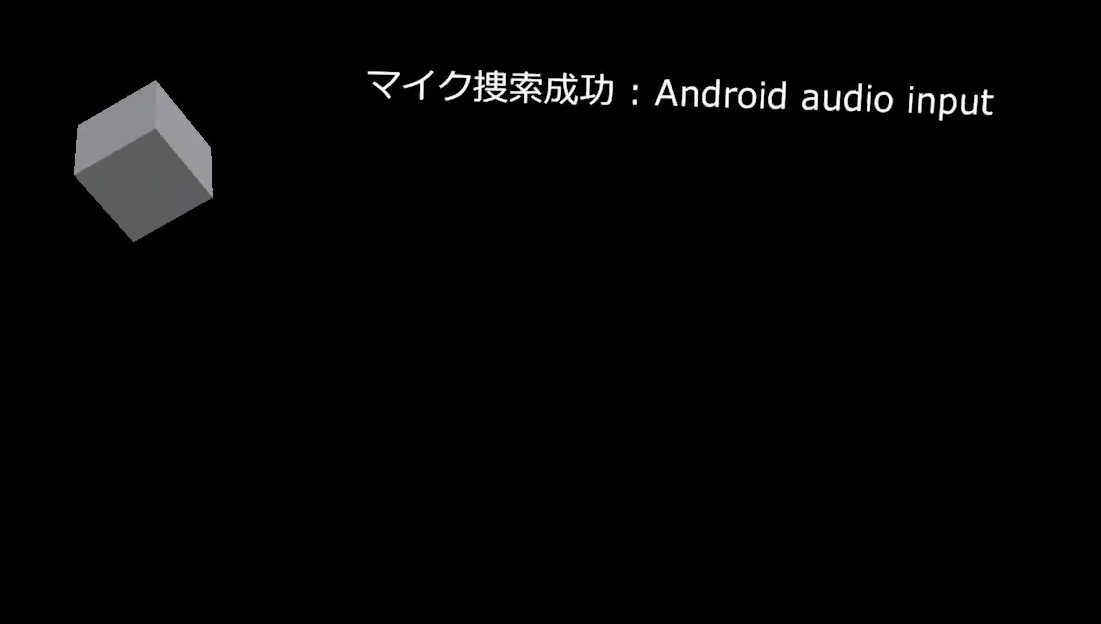
まず、マイク捜索が成功します。
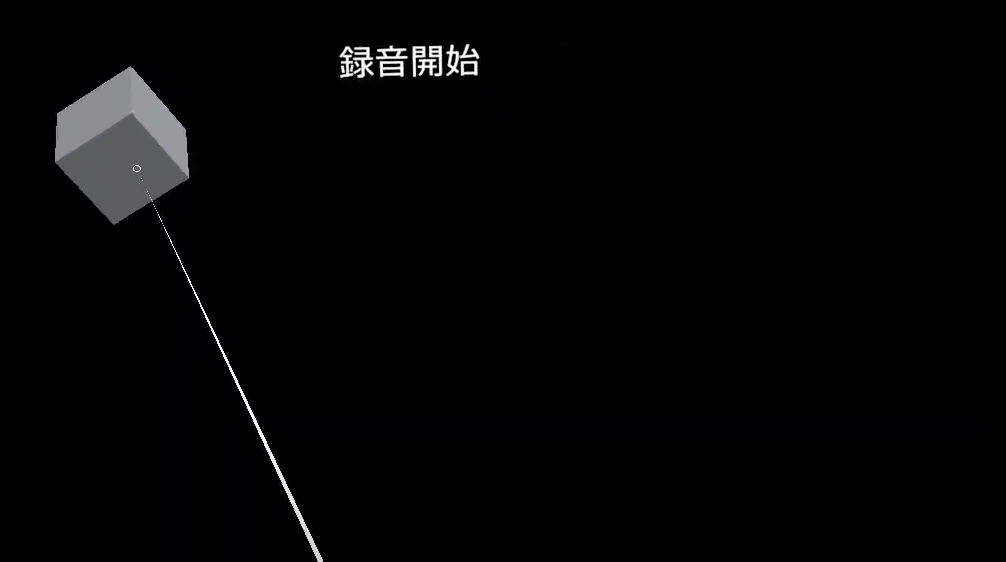
マイク捜索ができたら、Cube をクリックして話してしゃべります。Cube をもう一度クリックして録音を終了します。
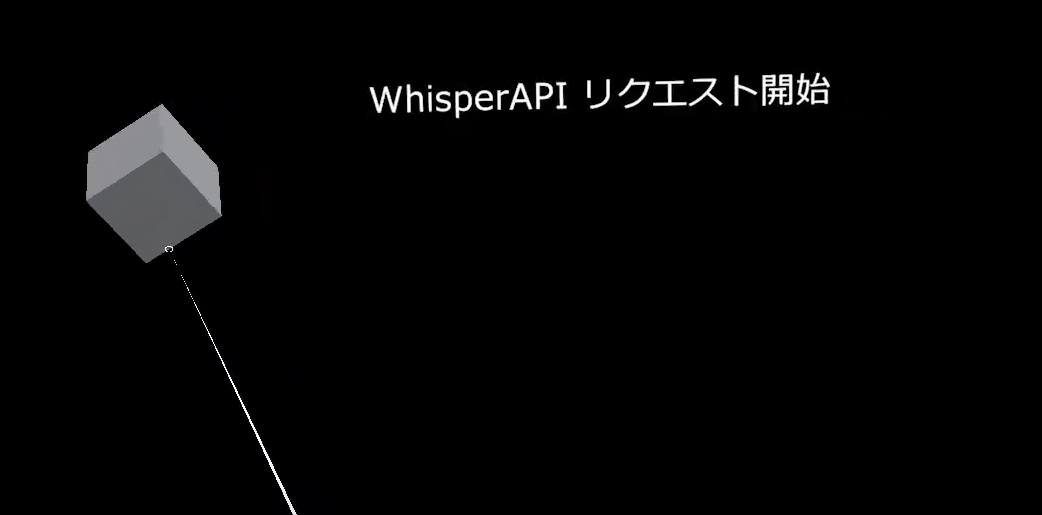
Whisper API にリクエストして文字起こしをします。
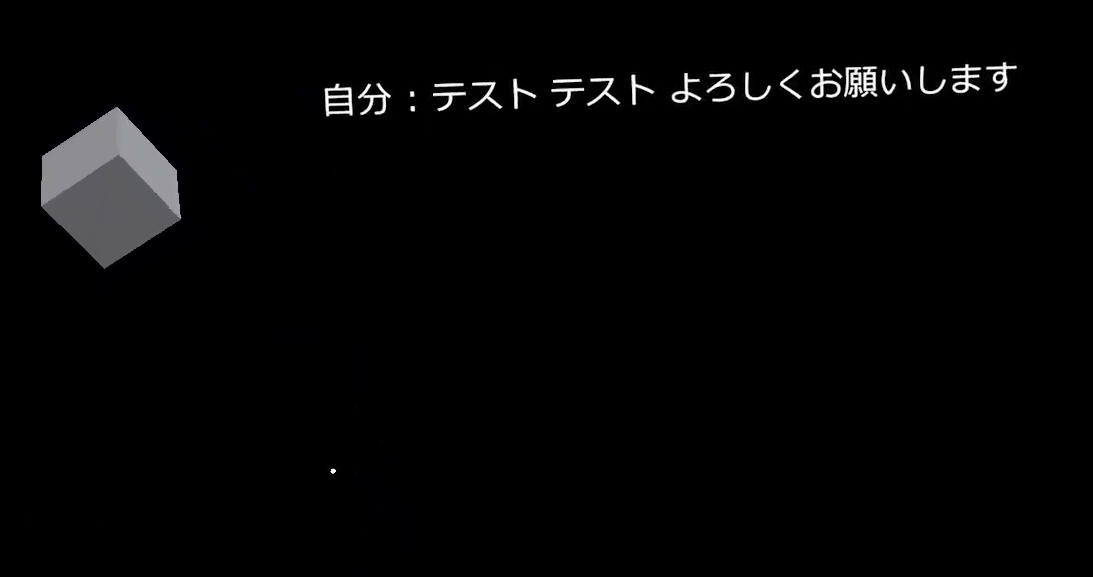
うまく文字起こしができました。
そして、ChatGPT API に質問として送られて返答が返ってきます。
結果テキストで表示させると、こういうデバイス確認はやりやすいですね。