HoloLensとNode-REDでMQTTをやり取りするメモ
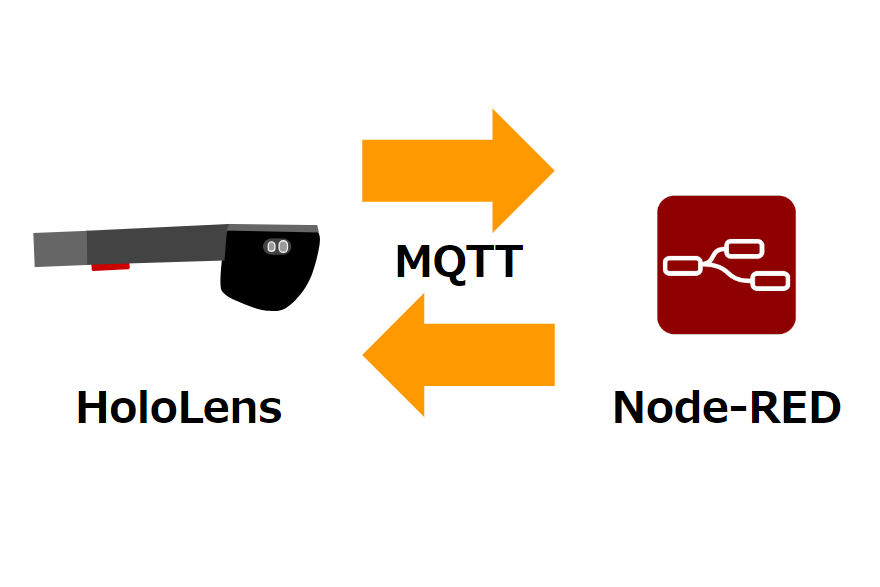
ここ半年ほど安定して使えているので、HoloLensとNode-REDでMQTTをやり取りするメモを残しておきます。
バージョン状況
- Unityバージョン
- 2017.1.2f1
- VIsual Studio 2017
- 15.8.3
サクッと作るときに自分の手元で安定しているものなので、他のバージョンでも使えるナレッジかと思われます。
ソースコード
MQTTはM2Mqttライブラリを利用して使います。
using System.Collections;
using System.Collections.Generic;
using UnityEngine;
using MiniJSON;

#if UNITY_UWP
using System;
using System.Text;
using System.Threading.Tasks;
using System.Windows;

// M2Mqtt
using uPLibrary.Networking.M2Mqtt;
using uPLibrary.Networking.M2Mqtt.Messages;
#endif

public class MQTTManager : MonoBehaviour
{

#if UNITY_UWP
    MqttClient client;
    string clientId;
    string topicPublishPath;
    string topicSubscribePath;
    string BrokerAddress;
#endif

    // Use this for initialization
    void Start()
    {
        Debug.Log(string.Format("[DISPLAY] MQTTManager START"));
#if UNITY_UWP

        // 接続先のアドレス
        BrokerAddress = "<BrokerAddress>";

        clientId = Guid.NewGuid().ToString();

        client = new MqttClient(BrokerAddress);
        client.ProtocolVersion = MqttProtocolVersion.Version_3_1;

        client.MqttMsgPublishReceived += client_MqttMsgPublishReceived;

        // publish先のtopic
        topicPublishPath = "pub/HoloLens";
        // subscribe先のtopic
        topicSubscribePath = "sub/HoloLens";

        try
        {
            client.Connect(clientId);
        }
        catch (Exception e)
        {
            Debug.Log(string.Format("Exception has occurred in connecting to MQTT {0} ", e ));
            throw new Exception("Exception has occurred in connecting to MQTT", e.InnerException);
        }

        Debug.Log("Connect OK");

        // Subscribe
        client.Subscribe(new string[] { topicSubscribePath }, new byte[] { 2 });

        // Publish
        try
        {
            // JSONデータを作る
            var data = new Dictionary<string, object>();
            data["status"] = "HoloLens connected";
            string json = Json.Serialize(data);

            // publish a message with QoS 0
            client.Publish(topicPublishPath, Encoding.UTF8.GetBytes(json), MqttMsgBase.QOS_LEVEL_AT_MOST_ONCE, true);
        }
        catch (Exception e)
        {
            Debug.Log("Exception has occurred in publishEvent");
            throw new Exception("Exception has occurred in publishEvent ", e);
        }

#endif

    }

    // Update is called once per frame
    void Update()
    {

    }


#if UNITY_UWP

    // this code runs when a message was received
    void client_MqttMsgPublishReceived(object sender, MqttMsgPublishEventArgs e)
    {
        string ReceivedMessage = Encoding.UTF8.GetString(e.Message);

        Debug.Log("client_MqttMsgPublishReceived");
        Debug.Log(ReceivedMessage);

        Task.Run(async () =>
        {
            // Unityの描画に処理を戻す
            UnityEngine.WSA.Application.InvokeOnAppThread(() => {

                var jsonDataTree = Json.Deserialize(ReceivedMessage) as Dictionary<string, object>;

                // JSONデータのmessage値を取得する
                Debug.Log(jsonDataTree["message"]);

               // ここでGameObjectなど描画に関する処理を書く

            }, true);

            await Task.Delay(100);

        });


    }
#endif

    void OnClosed()
    {
#if UNITY_UWP
        client.Disconnect();
#endif
    }
}
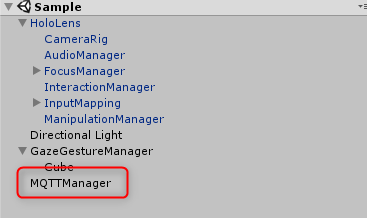
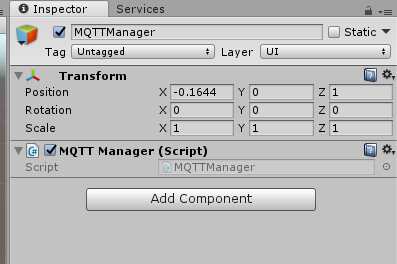
こちらを同名のGameObjectを作って適用しておきます。
MiniJSONもインストール
上記のソースでは、JSONデータを扱いやすくするため、MiniJSONもインストールします。
Unityからビルドすると
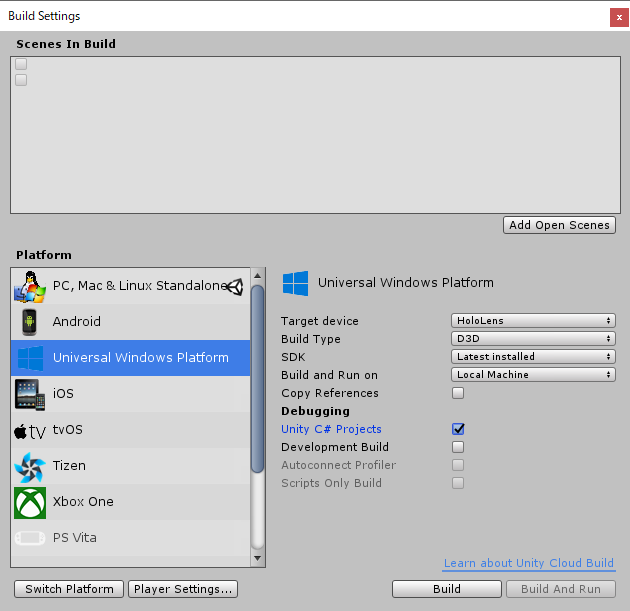
UnityからVisual Studioプロジェクトとして書き出します。
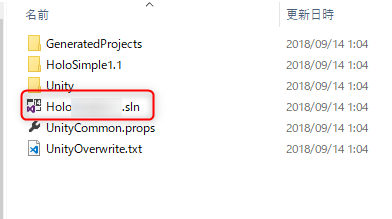
Visual Studioプロジェクト(~.sln)開いてみると以下のようなエラーが出ます。
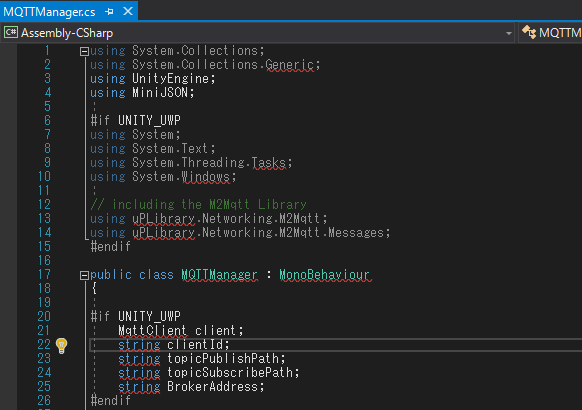
ひとつひとつ解決します。
一旦 x86 でリビルド
書き出されたプロジェクトによるかもしれませんが、私の場合、初期設定がARMのビルドになっているのか、いろいろとエラーが出ます。
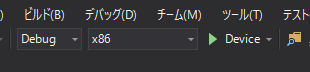
まず、x86に指定してから、
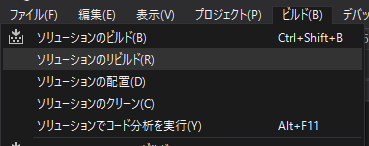
ソリューションのリビルドをします。
M2Mqttライブラリが無いAssembly-CSharpエラーを解決

重大度レベル コード 説明 プロジェクト ファイル 行 抑制状態
エラー CS0103 現在のコンテキストに 'MqttProtocolVersion' という名前は存在しません。 Assembly-CSharp F:\Creative\workspace\hololens\holo_mqtt_blog_0911\Assets\Scripts\MQTTManager.cs 40 アクティブ
のように、がっつり、
using uPLibrary.Networking.M2Mqtt;
using uPLibrary.Networking.M2Mqtt.Messages;
あたりでM2Mqttライブラリがないとエラーが出ています。
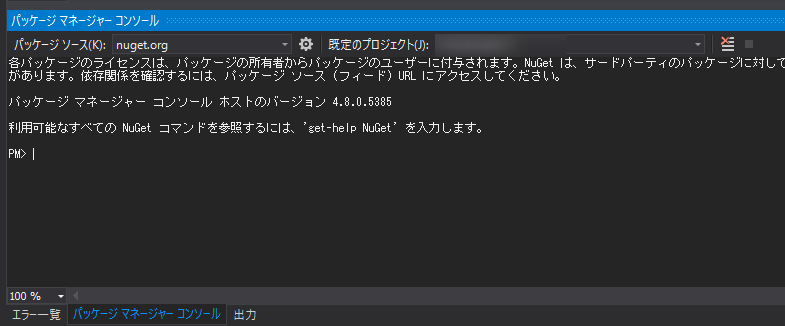
パッケージマネージャータブを選択します。
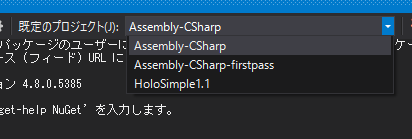
既存のプロジェクトをAssembly-CSharpにします。
Install-Package M2Mqttで、パッケージマネージャーでコマンドを打ってインストールします。
PM> Install-Package M2Mqtt
  GET https://api.nuget.org/v3/registration3-gz/m2mqtt/index.json
  OK https://api.nuget.org/v3/registration3-gz/m2mqtt/index.json 190 ミリ秒
C:\          \holo_mqtt_blog_0911\build\GeneratedProjects\UWP\Assembly-CSharp\project.json のパッケージを復元しています...
復元をコミットしています...
Writing lock file to disk. Path: C:\Creative\workspace\git\holo_mqtt_blog_0911\build\GeneratedProjects\UWP\Assembly-CSharp\project.lock.json
C:\          \holo_mqtt_blog_0911\build\GeneratedProjects\UWP\Assembly-CSharp\Assembly-CSharp.csproj の復元が 505.67 ms で完了しました。
'M2Mqtt 4.3.0' が Assembly-CSharp に正常にインストールされました
C:\          \holo_mqtt_blog_0911\build\HoloSimple1.1\project.json のパッケージを復元しています...
復元をコミットしています...
Writing lock file to disk. Path: C:\Creative\workspace\git\holo_mqtt_blog_0911\build\HoloSimple1.1\project.lock.json
C:\          \holo_mqtt_blog_0911\build\HoloSimple1.1\HoloSimple1.1.csproj の復元が 538.04 ms で完了しました。
NuGet の操作の実行に 1.29 sec かかりました
経過した時間: 00:00:04.5622172
PM>
このようにインストールされるはずです。
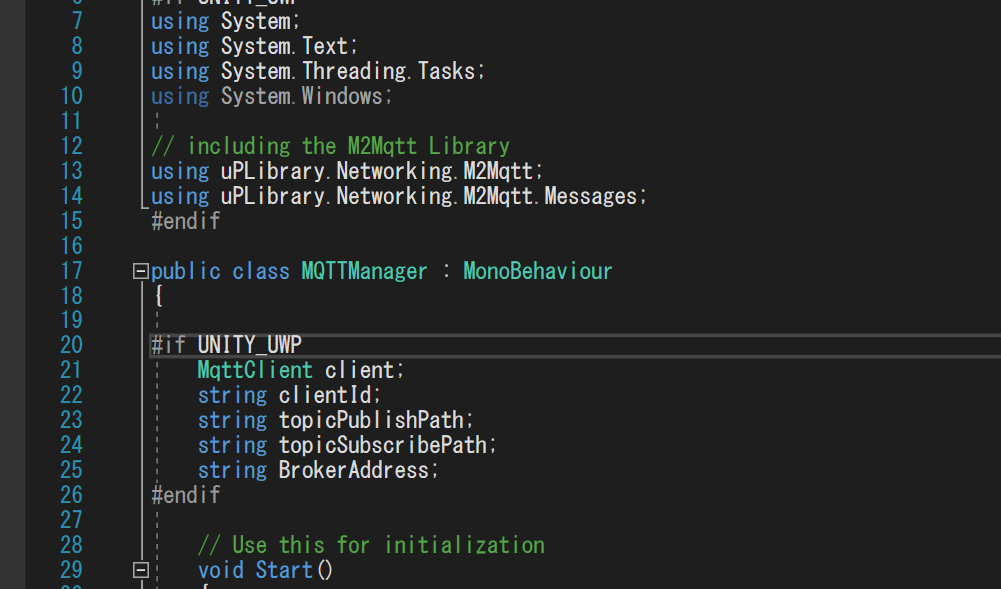
無事エラーが解消されました。
動かしてみる
Node-REDでやりとりしてみます。
https://www.1ft-seabass.jp/memo/2017/09/10/pepper-nodered-mqtt-broker-relation/
の記事のように、Node-RED上でMQTTブローカーも作っている前提で進めます。
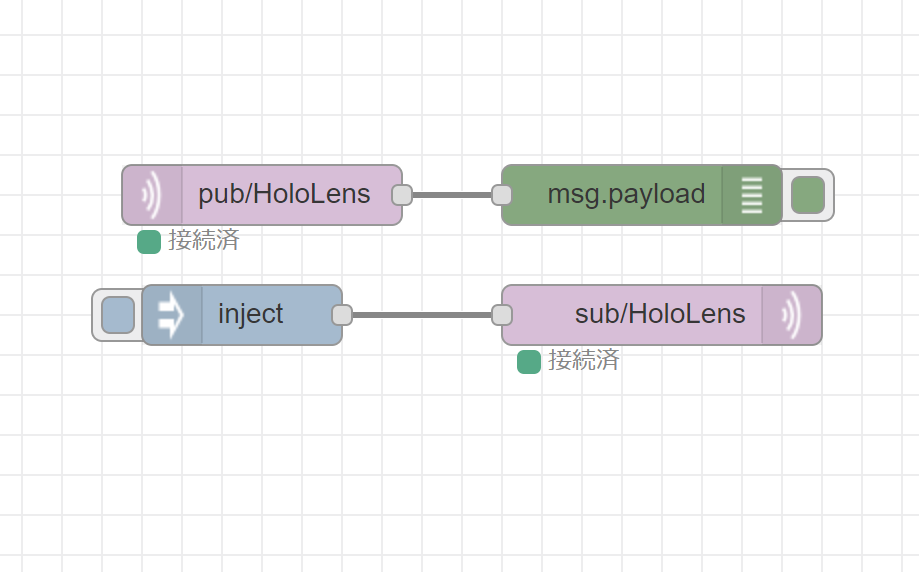
フローのJSONはこちらです。
[{"id":"5770fe87.186e9","type":"mqtt in","z":"88d61bce.c3bcd8","name":"","topic":"pub/HoloLens","qos":"2","broker":"f732bc1c.35538","x":260,"y":200,"wires":[["cf09c3a5.55a11"]]},{"id":"cf09c3a5.55a11","type":"debug","z":"88d61bce.c3bcd8","name":"","active":true,"tosidebar":true,"console":false,"tostatus":false,"complete":"false","x":450,"y":200,"wires":[]},{"id":"9b69e751.b39ad8","type":"inject","z":"88d61bce.c3bcd8","name":"","topic":"","payload":"{\"message\":\"Hello HoloLens!!\"}","payloadType":"json","repeat":"","crontab":"","once":false,"onceDelay":0.1,"x":250,"y":260,"wires":[["bd2f11d.55d13f"]]},{"id":"bd2f11d.55d13f","type":"mqtt out","z":"88d61bce.c3bcd8","name":"","topic":"sub/HoloLens","qos":"","retain":"","broker":"f732bc1c.35538","x":460,"y":260,"wires":[]},{"id":"f732bc1c.35538","type":"mqtt-broker","z":"","broker":"127.0.0.1","port":"1883","clientid":"","usetls":false,"compatmode":true,"keepalive":"60","cleansession":true,"willTopic":"","willQos":"0","willPayload":"","birthTopic":"","birthQos":"0","birthPayload":""}]トピック pub/HoloLens でHoloLensからデータを受け取り、トピック sub/HoloLens でHoloLensにデータを送るシンプルなやり取りです。
トピック pub/HoloLens でHoloLensからデータを受け取る
実際に起動してみると、MQTTManagerは起動時に動き出すので、
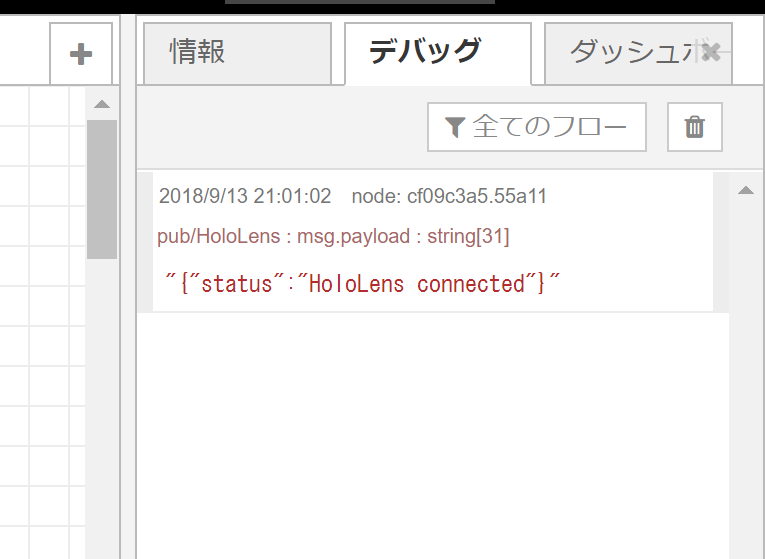
このようにNode-REDのデバッグタブにメッセージが表示されています。
// JSONデータを作る
            var data = new Dictionary<string, object>();
            data["status"] = "HoloLens connected";
            string json = Json.Serialize(data);

            // publish a message with QoS 0
            client.Publish(topicPublishPath, Encoding.UTF8.GetBytes(json), MqttMsgBase.QOS_LEVEL_AT_MOST_ONCE, true);
この部分が動作していてMiniJSONでSerializeされたJSON文字列が送信されています。
注意ポイントは、Oculus GoとNode-REDでMQTTをやり取りするメモで言及した QOS を 0 で送るところですね。QOS 2 で、なぜうまく行かないかが理論的に分かってないのですが、経験則に寄せています。
トピック sub/HoloLens でHoloLensにデータを送る

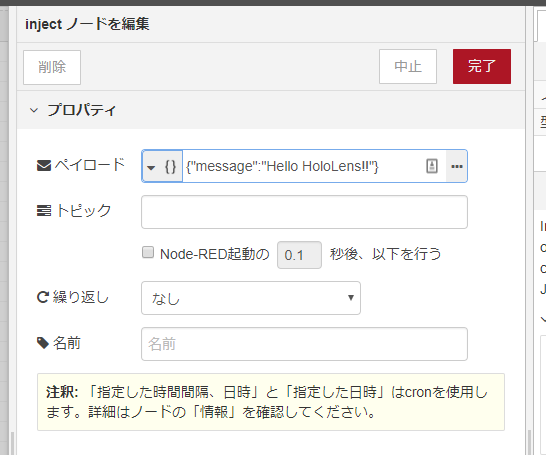
また、injectノードでは「Hello HoloLens!!」という文字列をメッセージを送ります。
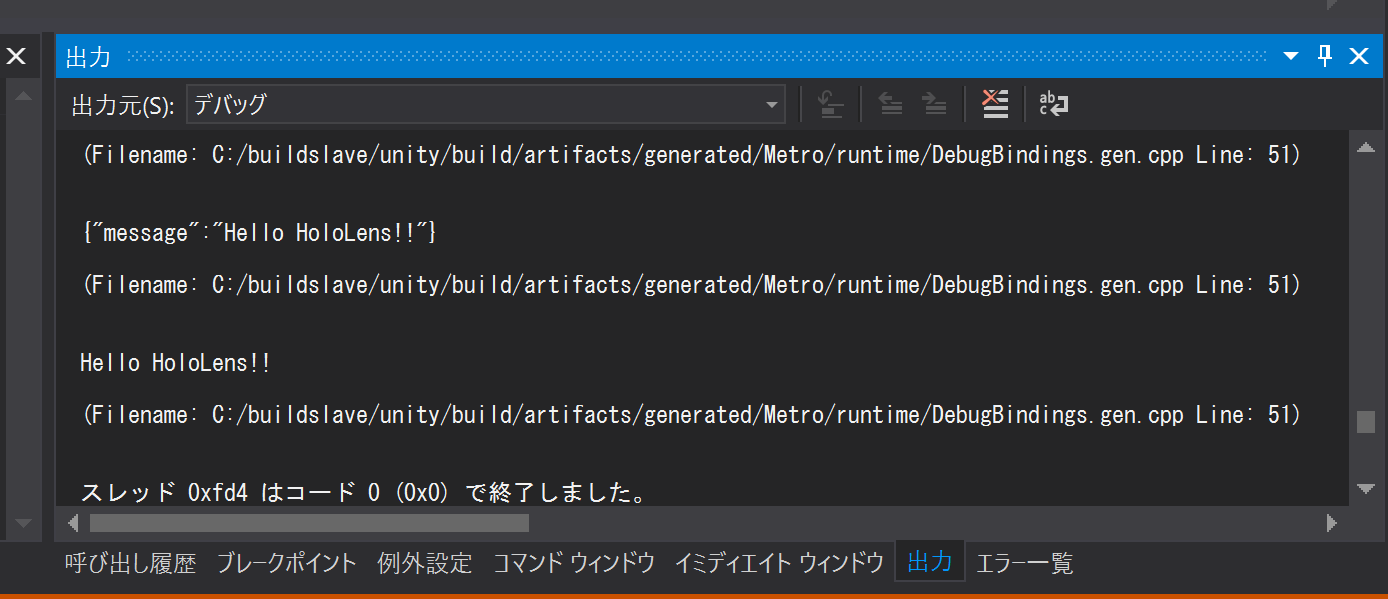
injectノードを押してみると、無事、Visual Studioのコンソールでメッセージが表示されます。
void client_MqttMsgPublishReceived(object sender, MqttMsgPublishEventArgs e)
    {
        string ReceivedMessage = Encoding.UTF8.GetString(e.Message);

        Debug.Log("client_MqttMsgPublishReceived");
        Debug.Log(ReceivedMessage);

        Task.Run(async () =>
        {
            // Unityの描画に処理を戻す
            UnityEngine.WSA.Application.InvokeOnAppThread(() => {

                var jsonDataTree = Json.Deserialize(ReceivedMessage) as Dictionary<string, object>;

                // JSONデータのmessage値を取得する
                Debug.Log(jsonDataTree["message"]);

               // ここでGameObjectなど描画に関する処理を書く

            }, true);

            await Task.Delay(100);

        });


    }
HoloLensがデータを受け取ったときに反応するのはこのあたり。
string ReceivedMessage で文字列として受け取りつつ、Json.Deserializeをかけて、JSONデータツリーのmessage値をDebug.Logで出力しています。
UnityEngine.WSA.Application.InvokeOnAppThread に関する使い方は、
https://www.1ft-seabass.jp/memo/2017/04/06/hololens_websocket_node-red_firstcontact/
の記事のような、Unityの描画に処理を戻してアニメーションをさせる流れを参考にしてください。
実際使っていて
HoloLensからサーバーにデータを送る場合はHTTPでも事足りるのですが、やはり、HoloLensへ何かしらを制御する場合、このMQTTのナレッジは重宝しています。
https://www.1ft-seabass.jp/memo/2018/04/03/myojowaraku-2018-report01/
たとえば、こちらのコンテンツで、IoTでHoloLens内の映像を変化させるときに活躍しました。もちろん、HTTPやWebSocketを使う場合もあるので、このあたりは、案件の状況に合わせて使い分けています。
それでは、よき MQTT & HoloLens Lifeを。